

PCB Silkscreen Design Rules and Best Practices
What Is PCB Silkscreen?
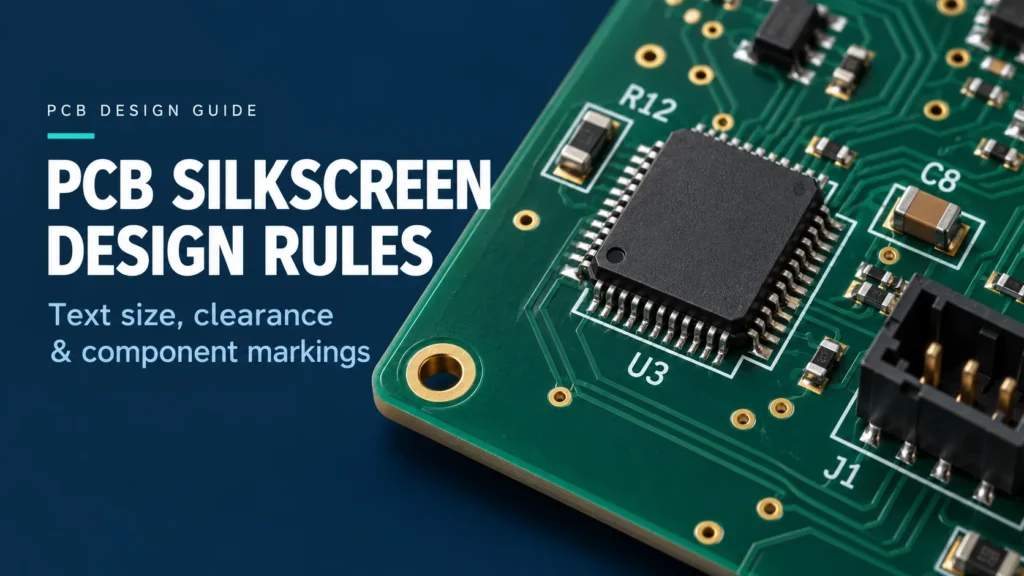
PCB silkscreen is the printed legend that identifies components, connectors, polarity, and board revisions. PCB silkscreen design rules control text size, stroke width, placement, and clearance from soldering surfaces. Use the fabricator’s approved limits, keep important markings readable after assembly, and check the exported files before release. There is no universal minimum text size that suits every printing process.
Legend ink is separate from the copper circuitry and solder mask. Its labels help people locate parts during assembly, inspection, testing, and repair. They do not replace the schematic, bill of materials, or assembly drawing.
Plan markings while placing components. Reserve space for reference designators such as R12 and U3, connector labels, and orientation marks. Leaving every label until routing is complete often creates avoidable crowding.
Minimum Text Size and Line Width Rules
Check text height and stroke width separately. A tall character can still contain lines too thin to print clearly. Heavy strokes can also close the spaces inside letters. Choose a simple font and inspect the smallest characters at actual board size.
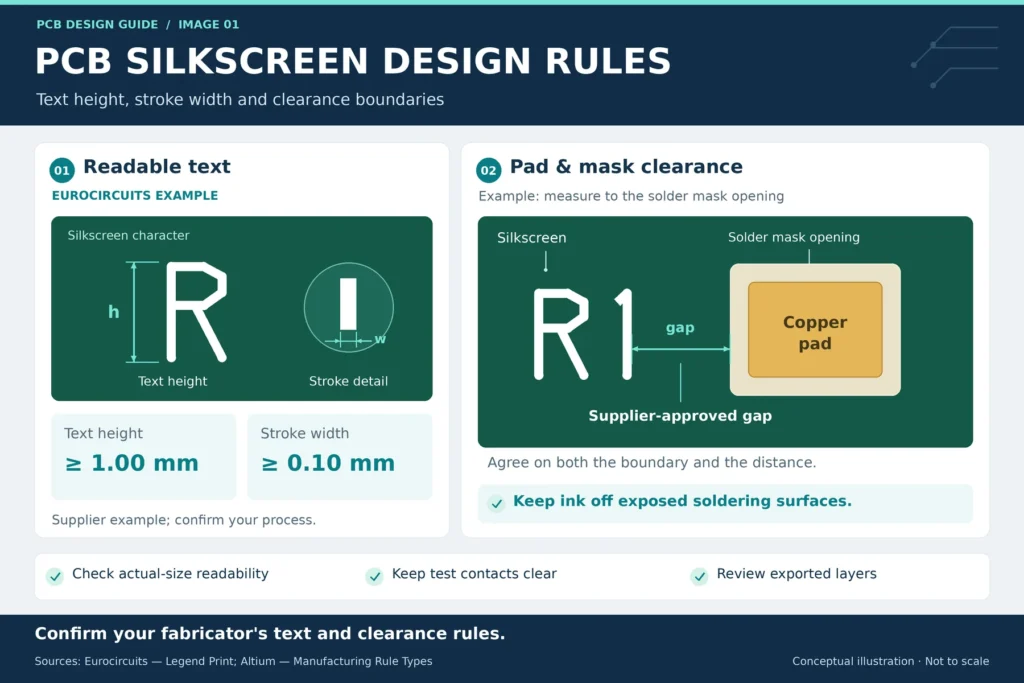
As one published example, Eurocircuits’ legend guidelines specify 1.00 mm minimum text height for good readability and 0.10 mm minimum line width. These are that manufacturer’s rules, not universal limits or Benlida specifications. Confirm the values for your selected process before using smaller text.
The table separates those examples from requirements that need project-specific values. Enter the agreed limits into your CAD rules; do not treat software defaults as manufacturing approval.
Silkscreen Design Rule
| Rule | Minimum Value | Reason |
|---|---|---|
| Text height | 1.00 mm in the Eurocircuits example; confirm your supplier's limit | Keeps small labels identifiable |
| Stroke width | 0.10 mm in the Eurocircuits example; confirm your supplier's limit | Helps preserve thin character strokes |
| Pad or mask-opening clearance | Supplier-approved gap from the specified boundary | Keeps ink away from soldering surfaces and avoids clipped text |
| Open vias, holes, and cutouts | Applicable opening and hole clearances | Prevents markings from crossing interrupted surfaces |
| Board-edge clearance | Supplier's limit for the chosen routing or scoring process | Preserves labels near finished edges |
| Spacing between legend objects | Approved silk-to-silk gap, plus a readability check | Keeps labels, outlines, and symbols distinct |
Give critical labels more room where possible. If a designator does not fit, move it to an unambiguous nearby position. Keep detailed information in the assembly drawing rather than shrinking every label to the process limit.
Clearance from Pads, Vias, and Solder Mask
PCB legend clearance must be measured from the correct boundary. A solder mask opening can extend beyond the copper pad. A label that clears the pad may still overlap that opening.
Altium’s manufacturing-rule documentation distinguishes checks against exposed copper from checks against solder mask openings. It also notes that manufacturers may clip legend at the opening boundary. Choose the rule mode and distance that match your fabricator’s requirements.
A silkscreen-over-pad conflict should be corrected in the design. Do not depend on automatic clipping to preserve the message. A removed stroke can make a reference designator unclear or erase part of a polarity symbol.
Check open vias, test points, mounting holes, and slots as well. A via shown as tented in CAD is not blanket permission to print over it. Confirm the intended via treatment and legend rules with the manufacturer. Keep test contacts free of ink.
For related mask-opening decisions, see our PCB solder resist best practices. Review the final legend and mask layers together after changing pad sizes or mask settings.
Polarity and Pin-1 Indicator Best Practices
Pin 1 identifies a numbered connection; it does not automatically mean positive or negative. Check the exact part number and package drawing before adding a dot, notch, bar, or plus sign.
TI’s QFN package guidance illustrates a pin-1 quadrant marker and directs readers to the device datasheet for the exact pin location. Use that same discipline when checking library footprints. A familiar package outline does not prove that its pin numbering is correct.
For diodes and LEDs, verify the anode and cathode. For polarized capacitors, verify the positive and negative terminals. Body stripes do not share one meaning across component families. For example, Vishay’s solid tantalum capacitor FAQ identifies the stripe on its molded surface-mount parts as the positive-terminal marker.
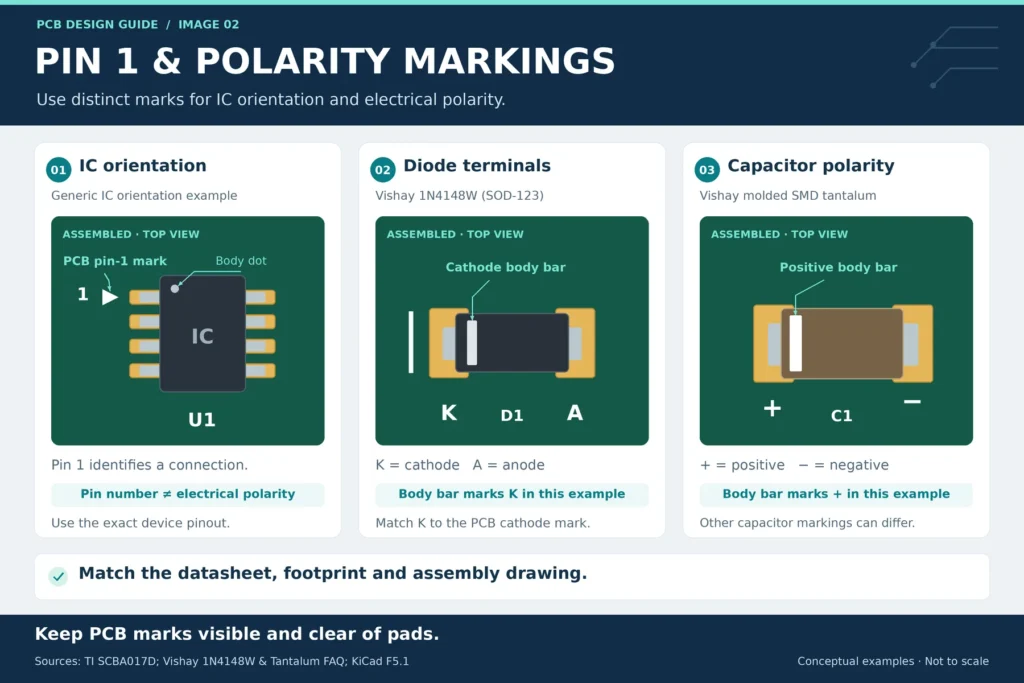
Keep critical marks visible after the part is fitted. KiCad’s silkscreen library conventions call for orientation markings that remain visible after assembly. Place marks close enough to identify the intended component without crossing pads or creating confusion with a neighbor.
Match these marks to the assembly drawing, BOM references, and placement data. Ask the assembler to resolve any conflict before production. Our PCB assembly process step by step explains where component identification fits into the wider workflow.
Silkscreen Color Options and Readability
Start with white legend when using a dark solder mask. It is a practical choice for contrast. For a white or very light mask, consider black legend. Confirm which combinations the fabricator offers for the selected board process.
Check a physical sample when small markings are important. Screen colors are not proof of printed contrast. Gloss, lighting, ink coverage, and character shape can affect readability. Specify solder mask color and legend color separately in the order documentation.
Use consistent text orientation within each board area. Avoid making a technician rotate the board repeatedly to read nearby labels. Keep connector names visible when cables are installed, where the mechanical layout permits. For service-critical information, include a matching labeled view in the product documentation.
Common Silkscreen Design Errors
Useful PCB marking design rules cover both geometry and meaning. Review these issues before releasing the manufacturing package:
- Designators overlap outlines or appear closer to the wrong component.
- A component move leaves its label or polarity mark behind.
- A revision label disagrees with the released fabrication files.
- Bottom-side text reads backward when viewed from the bottom.
- Mask clipping removes important text in the exported legend layer.
Run the available readability checks on both sides. The KiCad PCB Editor manual describes checks for text height, stroke thickness, clipping, and mirrored text. It also explains that plot settings can remove silk from areas without solder mask. Confirm which checks are enabled.
Reopen the generated manufacturing files, not just the editable layout. View bottom markings from the bottom and follow the tool’s export instructions; do not manually mirror files by guesswork. Compare the output with the assembly drawing. Record and resolve differences before sending one clearly identified revision to the supplier.
FAQ
What is the minimum readable silkscreen text size?
The minimum depends on your fabricator’s printing process, font, and stroke width. Confirm both character height and line thickness before release. Check the smallest labels at actual board size, and use larger text where space permits instead of designing every marking at the limit.
Can silkscreen overlap a solder pad?
Keep legend off exposed soldering surfaces. Apply the fabricator’s required clearance, checking whether it is measured from copper or the solder mask opening. Move conflicting text before release rather than relying on clipping to leave a readable label.
Why is pin-1 marking important for assembly?
It gives the assembler and inspector a visible orientation reference. The mark must agree with the selected device’s datasheet and assembly documentation. It supplements placement data; it does not replace it or identify electrical polarity by itself.
What silkscreen color is easiest to read on dark solder mask?
White is a sensible starting choice for contrast on a dark mask. Confirm available ink options and inspect a sample when readability is critical. Text size, stroke quality, lighting, and nearby components still matter.
Want Cleaner Assembly Documentation?
Review Benlida’s PCB manufacturing services and share your Gerber or ODB++ files, drill data, fabrication drawing, quantity, and revision. Include the top and bottom legend layers, requested colors, and any marking concerns. For PCBA, also provide the BOM, placement file, and assembly drawing.
Ask about silkscreen design review before finalizing the files. Request confirmation of the applicable text, clearance, and review requirements for your project.