

PCB BOM Preparation Guide: What Your PCBA Supplier Needs
A PCB BOM is a revision-controlled list of component line items for a specific PCBA build. Each fitted item should identify its reference designators, quantity, manufacturer, exact manufacturer part number, description, and package. The BOM should also state population options and approved sourcing rules. A clear BOM can reduce avoidable quoting, purchasing, and setup errors. It must still match the PCB data, centroid file, and assembly drawings.
Good PCB BOM preparation removes guesswork without hiding design decisions inside a spreadsheet. It tells the PCBA supplier what to buy, what to place, and what not to substitute. It does not guarantee stock, price, authenticity, or delivery time. Those factors must be checked for the released order quantity and sourcing plan.
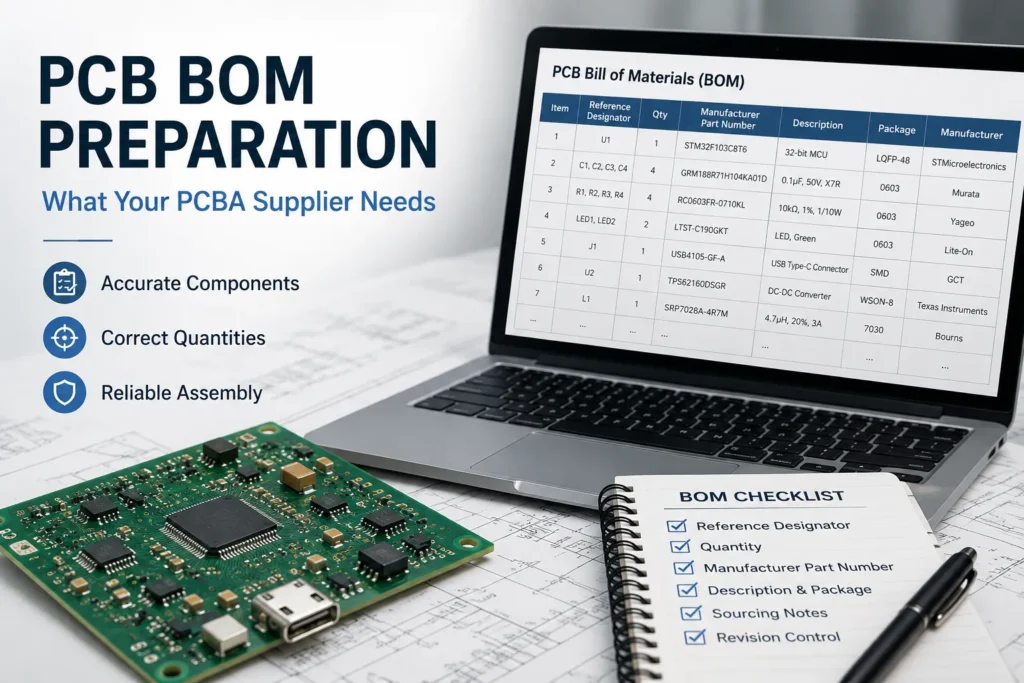
What Is a PCB BOM?
BOM means bill of materials. For PCB assembly, it links each physical component to its locations on the board. It also identifies the quantity used on one assembly. A grouped line may cover several locations when they use the same approved part.
The BOM is not a complete PCBA production package. Gerber files with NC Drill data, or an accepted intelligent fabrication dataset such as ODB++, carry the board geometry and hole information. A fabrication drawing, stack-up, material, copper, finish, impedance, tolerance, and other project requirements complete the bare-board definition. The centroid or pick-and-place file gives component coordinates, rotation, and board side. Assembly drawings show polarity, orientation, and special instructions. Programming and testing need their own files when they apply. Use the firmware flashing guide to prepare the programming requirements.
Each released file should identify its own controlled part number and revision. The release package must show which PCB, assembly, BOM, centroid, schematic, and drawing revisions belong together. Reference designators must agree across those files. Benlida’s PCB assembly process and required files guide explains where this package enters assembly planning.
Required PCB BOM Fields
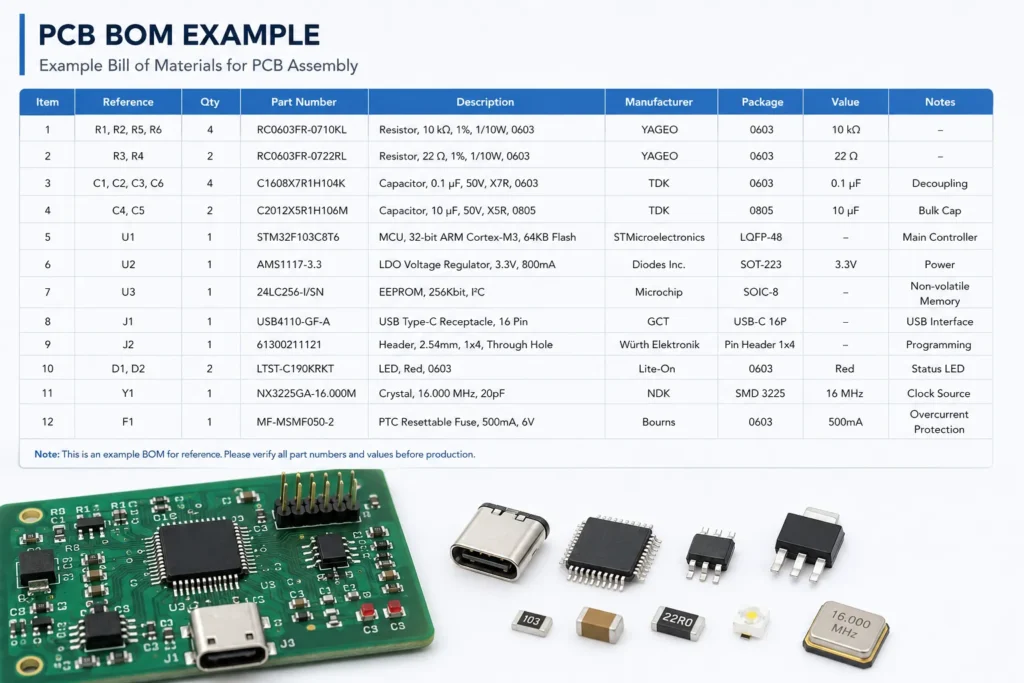
There is no universal spreadsheet template for every assembler. The fields below form a practical starting point. Confirm the final columns with the receiving PCBA supplier.
| Field Name | Description | Example |
|---|---|---|
| Assembly number and revision | Identifies the controlled PCBA build and BOM release. | Assembly 10025, Rev C |
| Item or line number | Provides a stable reference for questions and approvals. | Item 10 |
| Reference designator | Links the part to one or more locations in the design. | R1, R2, R7 |
| Quantity per assembly | States the fitted count on one PCBA, not the order total. | 3 per PCBA |
| Manufacturer | Names the component maker, separate from the distributor. | Exact legal manufacturer name |
| Manufacturer part number | Gives the full orderable MPN, including required suffixes. | Exact MPN as shown on the datasheet |
| Description and key ratings | Supports review of value, tolerance, rating, and function. | 10 kΩ, 1%, 0.1 W resistor |
| Package or footprint | Supports CAD and land-pattern checks but does not identify the part. | 0603 / 1608 metric; verify footprint |
| Population and variant status | States fitted, DNP, DNI, or option-specific use explicitly. | DNP on Variant B |
| Approved alternatives | Lists approved MPNs and any substitution conditions. | No substitutions without written approval |
| Sourcing responsibility and notes | Defines turnkey, consigned, customer-supplied, or special handling. | Customer-supplied; sealed reel required |
One line normally represents one unique approved MPN. The quantity should equal the number of fitted reference designators for that variant. Some non-electrical items may not have a reference designator. List hardware, labels, or adhesives clearly when the assembler must supply them.
Do not use a supplier stock code in place of the MPN. The supplier code identifies a purchasing source, not the technical component. Keep both fields when an approved source or packaging option matters.
Best BOM File Formats for PCBA Orders
A clean XLSX or UTF-8 CSV file is often the easiest format for quoting and import. Ask the supplier which format, column names, delimiters, and variant method it accepts. Do not assume that every company accepts the same CAD export.
- XLSX: Good for human review and controlled notes. Identify the approved worksheet. Remove macros, hidden rows, merged cells, and formulas that hold critical data.
- CSV: Good for system import and version comparison. Preserve MPNs and customer part numbers as text. Reopen the export to check commas, quotes, leading zeros, and special characters.
- CAD export: Useful when library fields are controlled. Review all fields before release. The KiCad Schematic Editor documentation shows that users choose which fields, DNP states, and grouping rules appear in a BOM.
- IPC-2581: A structured option when both parties support it. IPC-2581C includes sections for BOM, ECAD, revision history, and approved vendor data. Support and import coverage still require confirmation.
A PDF can be a useful frozen reference. It should not be the only editable BOM source. Screenshots, shopping-cart exports, and links to distributor pages are poor substitutes for controlled line-item data.
How to Handle Obsolete or Hard-to-Source Components
Start with the exact orderable MPN and current lifecycle information. Distinguish an active part from NRND, last-time-buy, or obsolete status. Stock shown by one distributor may not cover the required quantity, packaging, date code, or approved source.
When a part is unavailable, the assembler may propose a candidate. It should not purchase or place a different MPN unless the released approval rules allow it. Altium describes Part Choices as allowed manufacturer parts selected by the designer. This is a useful model for separating approved parts from unapproved suggestions.
Evaluate an alternative for function, ratings, tolerance, pinout, polarity, package, height, exposed pad, temperature range, power, thermal behavior, and soldering limits. Also review firmware, test, calibration, compliance, lifecycle, and qualification effects. A matching value and package name do not prove compatibility.
Record approval in a controlled BOM revision, approved part list, or written deviation. If no suitable option exists, the design may need a schematic or layout change. Benlida’s public page describes alternative component sourcing and BOM support. Confirm the exact review, sourcing, approval, traceability, and warranty scope in the quotation.
Common PCB BOM Errors
- Missing manufacturer names or incomplete MPN suffixes.
- Using a distributor SKU, description, or web link as the only part identity.
- Quantity that does not match the fitted reference designators.
- The same reference designator appearing on two fitted lines.
- DNP or variant status shown only through color, blank cells, or hidden rows.
- Package text that does not match the released PCB footprint.
- An undocumented mix of BOM, centroid, Gerber, and assembly drawing revisions.
- Unapproved alternatives mixed into the primary MPN column.
- No statement of turnkey, partial-turnkey, or consigned sourcing responsibility.
These issues create questions before quotation or setup. A PCB engineering consultation and DFM review can identify file conflicts. It does not transfer final component-selection responsibility unless the contract says so.
PCB BOM Checklist for First-Time Buyers
- Confirm the assembly number, BOM revision, PCB revision, and build variant.
- Create one clear line for each unique primary MPN.
- Add manufacturer, full MPN, quantity, and reference designators.
- Check value, ratings, package, footprint, polarity, and special handling.
- Mark every DNP, DNI, optional, and customer-supplied item explicitly.
- Separate approved alternates from proposed or unreviewed candidates.
- Cross-check the BOM against the centroid file, assembly drawings, and schematic.
- Export a clean XLSX or UTF-8 CSV and reopen it for inspection.
- Remove macros, hidden content, ambiguous blanks, and unsupported formulas.
- Release the BOM with the complete PCBA file package.
For PCB assembly services, also define order quantity, sourcing model, inspection, testing, programming, labeling, packaging, and required records. The quoted scope should state who supplies each item and who approves any deviation.
PCB BOM Preparation FAQ
What information must be included in a PCB BOM?
Include the assembly number and revision, reference designators, quantity per assembly, manufacturer, exact MPN, description, and package or footprint. Add population status, approved alternatives, sourcing responsibility, and compliance notes when they apply. Keep every field consistent with the released variant and related assembly files.
What file format should I use for my BOM?
Use the format agreed with the PCBA supplier. A clean XLSX or UTF-8 CSV is a practical default. Keep one field per column and one part item per line. Remove macros, hidden content, merged cells, and critical formulas. A CAD export still needs human review before release.
What happens if a component in my BOM is obsolete?
Pause procurement of that item and check the exact MPN’s lifecycle and approved sources. The supplier may propose alternatives. The customer or design authority should review compatibility and approve the change in writing. Update the controlled BOM or deviation record before purchasing or placement.
Can Benlida help source alternative components?
Benlida’s public service information describes alternative component sourcing support. For a specific project, provide the BOM, approved sources, technical criteria, and substitution rules. Benlida can then confirm the available review and sourcing scope. Final alternative approval should remain with the customer or designated design authority.
Prepare Your PCBA Quote Package
Send the released BOM with the applicable PCB fabrication package. This may include Gerber plus NC Drill data or an accepted ODB++ package, along with the fabrication drawing, stack-up, and specifications. Also send centroid data, assembly drawings, order quantity, and the sourcing model. Add programming, test, inspection, labeling, and packaging requirements when needed. Assembly data is a separate controlled output, so do not rely on the BOM for placement coordinates or rotation.
. Ask the supplier to confirm BOM questions, sourcing responsibilities, approved alternatives, revision alignment, quoted scope, and project-specific schedule before release.