

PCB Assembly Quote — What Information to Provide
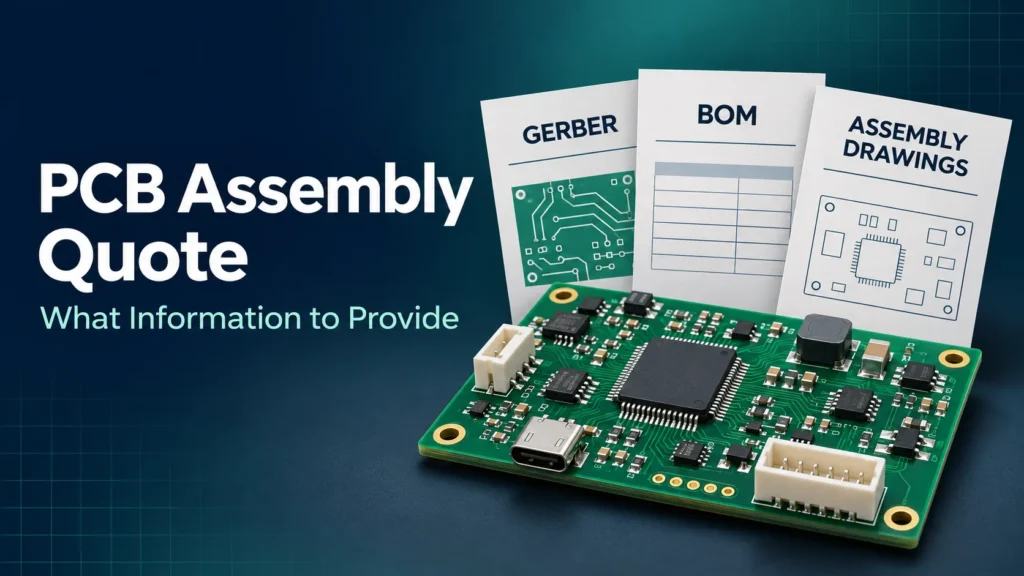
What Information Speeds Up a PCB Assembly Quote?
For an accurate PCB assembly quote, send Gerber files, a complete bill of materials (BOM), placement data, assembly drawings, and the target quantity. Include manufacturer part numbers, the required IPC class, and testing needs. Missing details can lead to assumptions and revised pricing. A consistent file package helps the manufacturer price the work you actually need.
This PCB assembly quote guide is for engineers and buyers preparing a request for quotation, or RFQ. Start by defining the scope: bare-board fabrication, component sourcing, assembly, testing, and any final packaging. A PCB is the bare board. A PCBA includes the installed components.
You can request a budget estimate before every detail is final. Label provisional files and ask which assumptions the estimate uses. A production quotation needs enough confirmed information to price the agreed scope.
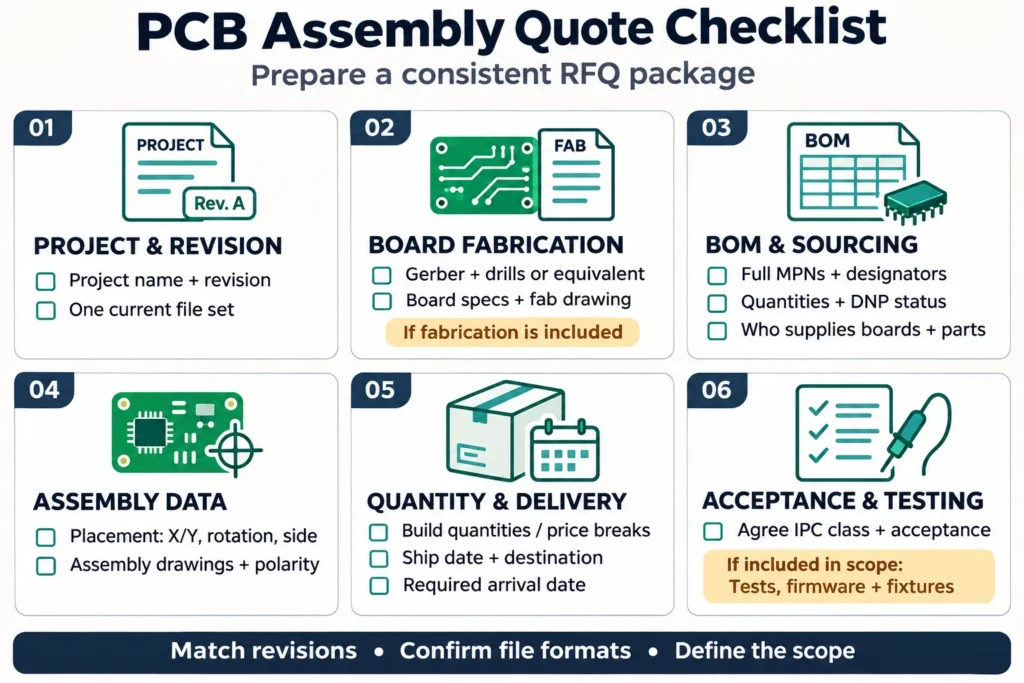
Use the following PCBA RFQ checklist to organize your package. The exact export format can vary, so confirm which files the assembler accepts.
Quote Request Checklist
| Item | Required? | Why It's Needed |
|---|---|---|
| Project name and revision | Yes. | Identifies the correct design and prevents mixed versions. |
| Gerber and drill files, or an accepted equivalent | For board fabrication. | Defines the copper, holes, outline, and other fabrication layers. |
| Fabrication drawing and board specifications | For an accurate bare-board price. | Clarifies materials, stackup, finish, thickness, and special requirements. |
| BOM with manufacturer part numbers | For sourcing and assembly review. | Identifies parts, quantities, locations, and purchasing responsibility. |
| Placement data | For accurate placement review. | Defines component coordinates, rotation, and board side. |
| Assembly drawings | For build details and special instructions. | Shows orientation, polarity, mounting, and assembly intent. |
| Build quantity and sourcing model | Yes. | Defines purchasing volume and who supplies boards and components. |
| IPC class and acceptance requirements | Agree before finalizing the quote. | Establishes the quality and acceptance basis. |
| Testing, firmware, and fixture needs | If included in the scope. | Allows setup, equipment, and test time to be priced. |
| Requested delivery and destination | For schedule and freight planning. | Separates production timing from transport requirements. |
Gerber Files and Fabrication Data
The fabrication package defines the bare PCB. Export all required layers, drill data, and a clear board outline. Include a fabrication drawing with layer count, material requirements, finished thickness, copper weight, surface finish, and relevant tolerances. Add impedance targets and a proposed stackup where needed.
Gerber data can carry more than artwork. Ucamco’s Gerber format guidance describes fabrication data and newer extensions. However, bare-board layer files alone do not specify the full assembly purchase list. Supply the assembly information as well, either in separate files or an accepted combined package.
Reopen the exports in a viewer before sending them. Check the outline, layer names, and hole locations. Flag plated and non-plated holes clearly. Our PCB Gerber file guide covers preparation in more detail.
If you will supply the bare boards, state that explicitly. Share their revision, dimensions, finish, and panel details so the assembler can review handling and placement needs.
BOM with Manufacturer Part Numbers
The BOM answers two questions: which parts belong on the board, and who provides them? A description such as “10 kΩ resistor” rarely identifies an exact purchasing choice. Include the manufacturer and full manufacturer part number (MPN), plus a useful description, value, and package.
Each line should list reference designators and quantity per board. Reference designators are labels such as R1 or U3. Check that their count matches the quantity. Keep the total build quantity separate from the per-board quantity.
Eurocircuits’ BOM and placement guidance explains how part numbers and reference designators connect purchasing data with component locations. Different assemblers may accept different templates. A clear, editable spreadsheet is a practical starting point.
Mark do-not-populate (DNP) parts explicitly. Identify approved alternatives and state whether substitutions need written approval. For customer-supplied parts, list what you will send and how it is packaged. Consigned assembly still needs a BOM to review the build and check incoming parts.
A complete BOM may change an earlier estimate because it reveals the actual parts and quantities. Availability, purchasing minimums, packaging, or a proposed alternative can change the quote basis. Review those changes before ordering. Use our PCB BOM preparation guide to check the file.
Pick-and-Place and Assembly Drawings
A pick-and-place file is also called a centroid file or component placement list (CPL). It normally provides each component’s reference designator, X and Y coordinates, rotation, and board side. Some accepted native design packages can supply equivalent placement data.
Declare the coordinate units and origin. Check that the placement data matches the board outline and the current BOM. Pay particular attention to bottom-side orientation and pin 1. Eurocircuits’ CPL editor guide shows why coordinate systems, scaling, and rotation need review. Do not assume every CAD export uses the same conventions.
Assembly drawings explain details that coordinates cannot communicate clearly. Include top and bottom views, reference designators, polarity, connector orientation, and special mounting notes. Altium’s assembly output guidance describes these complementary documents. Drawings help engineers check intent; they do not replace machine-readable placement data.
Specify any hardware, adhesive, coating, or mechanical assembly included in the RFQ. Keep the drawings, BOM, and placement files on the same revision.
Quantity, IPC Class, and Testing Requirements
State the prototype quantity and any later production quantities separately. If you want price breaks, list the quantities to quote. An annual forecast is useful context, but it is not the same as a committed order.
Define the sourcing model. For turnkey work, identify the boards and parts you expect the supplier to source. For partial turnkey or consigned work, mark what you will provide. Review the available PCB assembly services and describe the scope needed for your build.
Specify the required IPC product class, applicable document revisions, and customer acceptance rules. IPC’s assembly standards guidance distinguishes IPC-A-610 assembly acceptability from J-STD-001 requirements for soldered assemblies. Select requirements around the product’s use and performance needs. Do not leave the supplier to guess a class from the application name.
List inspection and testing separately. AOI checks visible assembly features; X-ray inspection can help assess hidden solder joints. Neither alone proves that the finished circuit operates correctly. Keysight distinguishes component-level in-circuit testing from functional testing, which checks defined operating behavior.
For electrical or functional tests, provide the procedure, connections, and pass/fail limits. State who supplies fixtures and software. Include firmware versions, programming instructions, and required test records where applicable. Finally, distinguish the requested ship date from the required arrival date.
Common Mistakes That Delay Quoting
Most avoidable follow-up questions come from unclear scope or conflicting files. Before sending the package, check for these issues:
- Mixed revisions: archive old exports and provide one clearly labeled current set.
- Incomplete part numbers: check suffixes, packages, and approved alternatives.
- Unclear quantities: distinguish parts per board, boards per build, and future forecasts.
- Conflicting build instructions: make DNP status and polarity consistent across the BOM and drawings.
- Late scope additions: include testing, programming, coating, and packaging before comparing quotes.
A short project readme can identify the revision, file list, sourcing split, delivery target, and unresolved questions. Our guide on how to write a PCB assembly specification helps bring those requirements together.
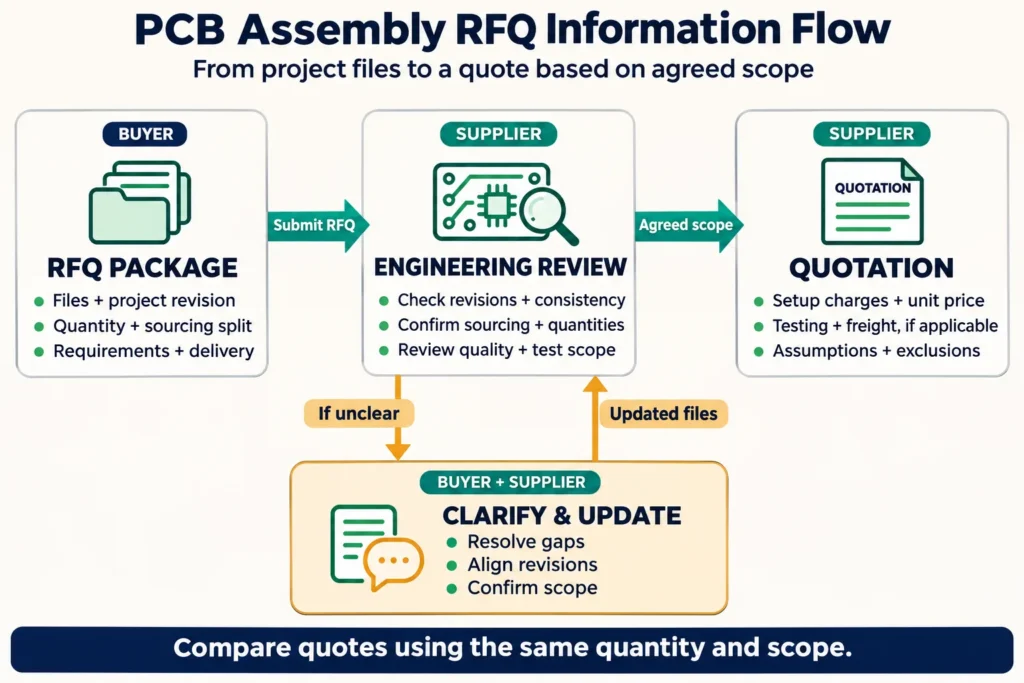
Ask suppliers to separate setup charges, unit prices, testing, and freight where relevant. Compare quotations using the same quantity and scope. When ready, Request a PCB assembly quote with your current files.
FAQ
What files do I need to get an accurate PCB assembly quote?
Provide fabrication data, a BOM with manufacturer part numbers, placement data, and assembly drawings. Include quantity, revision, sourcing responsibility, quality requirements, and testing scope. For an early estimate, identify missing information and ask the supplier to state its assumptions.
Why does my quote change after I submit a BOM?
The BOM defines the actual components and quantities. It may reveal availability issues, purchasing minimums, or assembly details missing from the estimate. Ask which assumptions changed and review any proposed substitutions before approving the quote.
Do I need to specify IPC class when requesting a quote?
Yes. State the required class and applicable standards if known. If the class is undecided, describe the product’s operating conditions and reliability needs. Agree on the acceptance basis before finalizing the quotation and releasing production.
How fast does Benlida respond to quote requests?
Benlida’s engineering team responds within 24 hours on weekdays. This is a response commitment. Completing the quotation also depends on file completeness, component sourcing, and the agreed assembly and testing scope.
Ready to Request a Quote?
Send Benlida your Gerber, BOM, and quantity and our engineering team responds within 24 hours on weekdays.